2022年4月

iperf3下载

iperf官网:https://iperf.fr/

iperf官网下载地址(所有版本都可以在这个网址中下载):https://iperf.fr/iperf-download.php

Windows 64位版本:https://iperf.fr/download/windows/iperf-3.1.3-win64.zip

OpenWRT路由系统下安装iperf3服务端

输入如下命令:

opkg update

opkg install iperf3

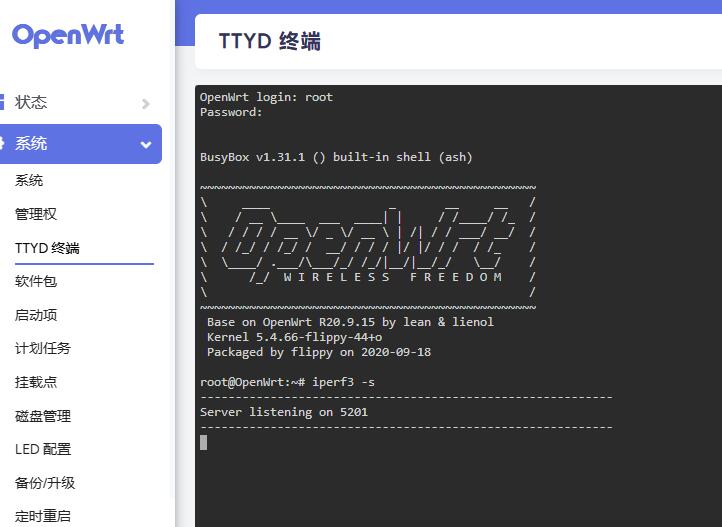
启动iperf3: iperf3 -s
openwrt-iperf3.jpg

Windows下使用iperf3测速

比如将下载的windows端iperf软件,解压放在D盘iperf文件夹 ,路径(D:\iperf)

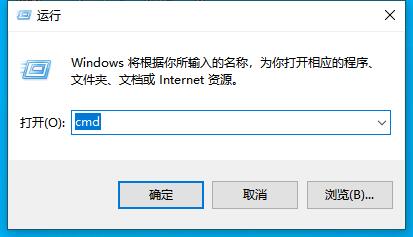
然后启动cmd ,cd 到d盘iperf所在目录
cmd.jpg

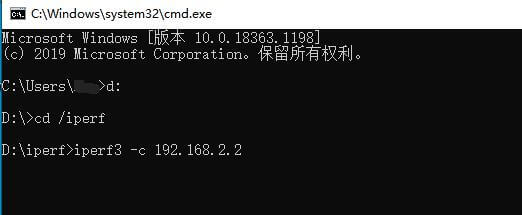
先输入 D:

然后输入 cd \iperf

这样子就是到了执行iperf的文件夹,

执行一下命令

iperf3 -c 192.168.2.2
cmd5.jpg
192.168.2.2 是iperf3 服务端的IP,也就是openwrt路由器的IP。

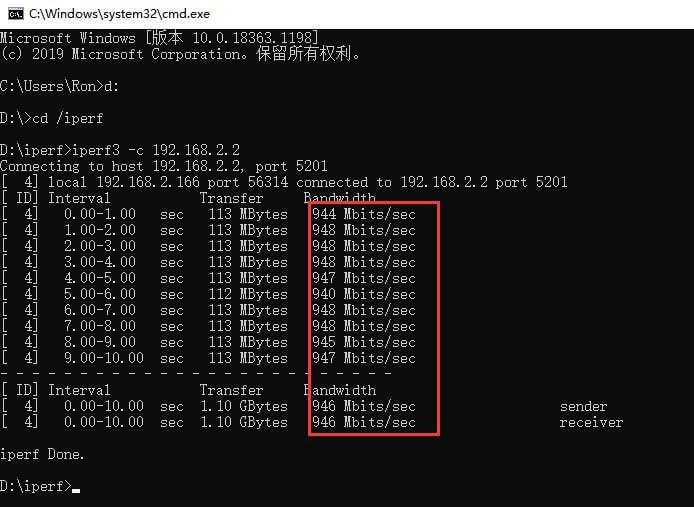
最后就开始测速了。
cmd6.jpg
结束!

Shell下依次运行以下命令:

PVE换源:

wget https://mirrors.ustc.edu.cn/proxmox/debian/proxmox-release-bullseye.gpg -O /etc/apt/trusted.gpg.d/proxmox-release-bullseye.gpg
echo "#deb https://enterprise.proxmox.com/debian/pve bullseye pve-enterprise" > /etc/apt/sources.list.d/pve-enterprise.list
echo "deb https://mirrors.ustc.edu.cn/proxmox/debian/pve bullseye pve-no-subscription" > /etc/apt/sources.list.d/pve-no-subscription.list

Debian换源:

mv /etc/apt/sources.list /etc/apt/sources.list.bk
nano /etc/apt/sources.list

Sources.list加入源:

deb http://mirrors.ustc.edu.cn/debian stable main contrib non-free
# deb-src http://mirrors.ustc.edu.cn/debian stable main contrib non-free
deb http://mirrors.ustc.edu.cn/debian stable-updates main contrib non-free
# deb-src http://mirrors.ustc.edu.cn/debian stable-updates main contrib non-free

# deb http://mirrors.ustc.edu.cn/debian stable-proposed-updates main contrib non-free
# deb-src http://mirrors.ustc.edu.cn/debian stable-proposed-updates main contrib non-free

更新&安装ethtool:

apt update
apt upgrade -y
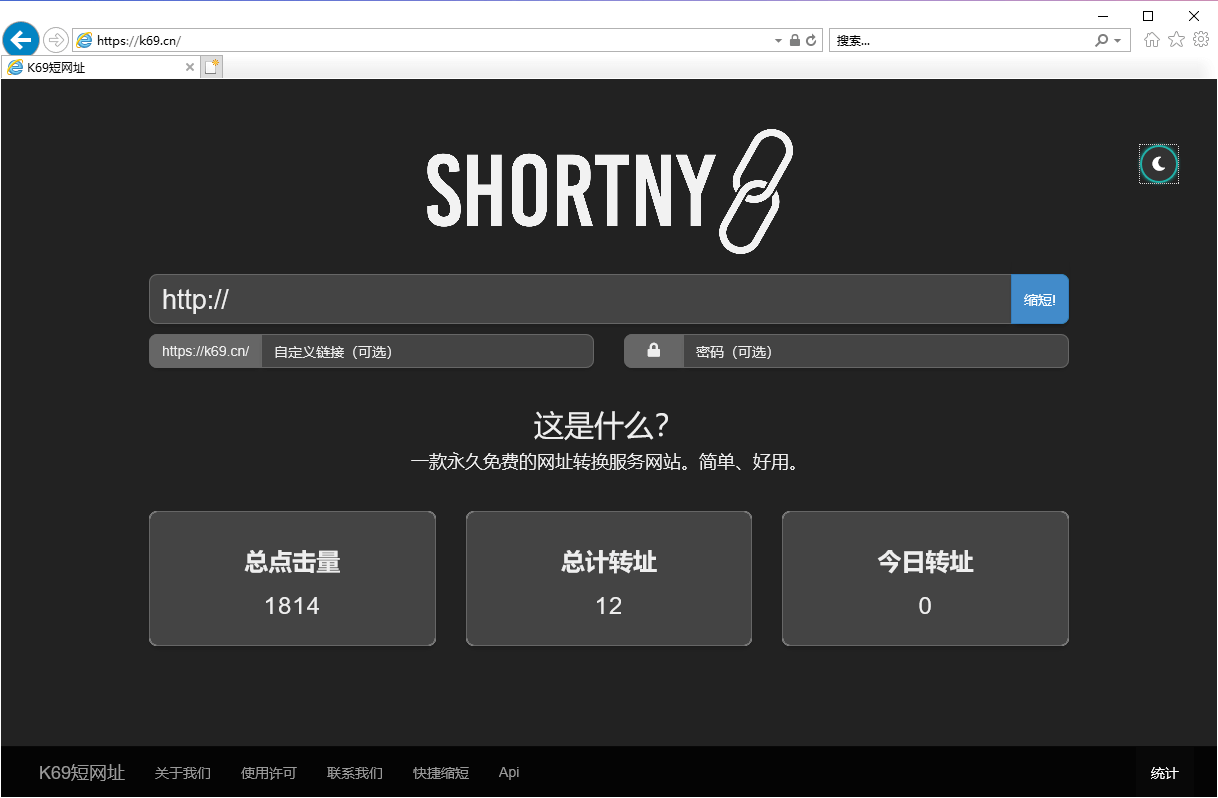
为什么我们选择使用网址压缩?

当我们在微博、短信、微信等平台进行推广的时候,短链接可以帮助您将过于冗长和令人困惑的URL或任何包含字母和数字的混杂字符转化成一条简单的链接。他不仅能给予原链接一层保护,而且对于文案的整体美观度有一定的提升。

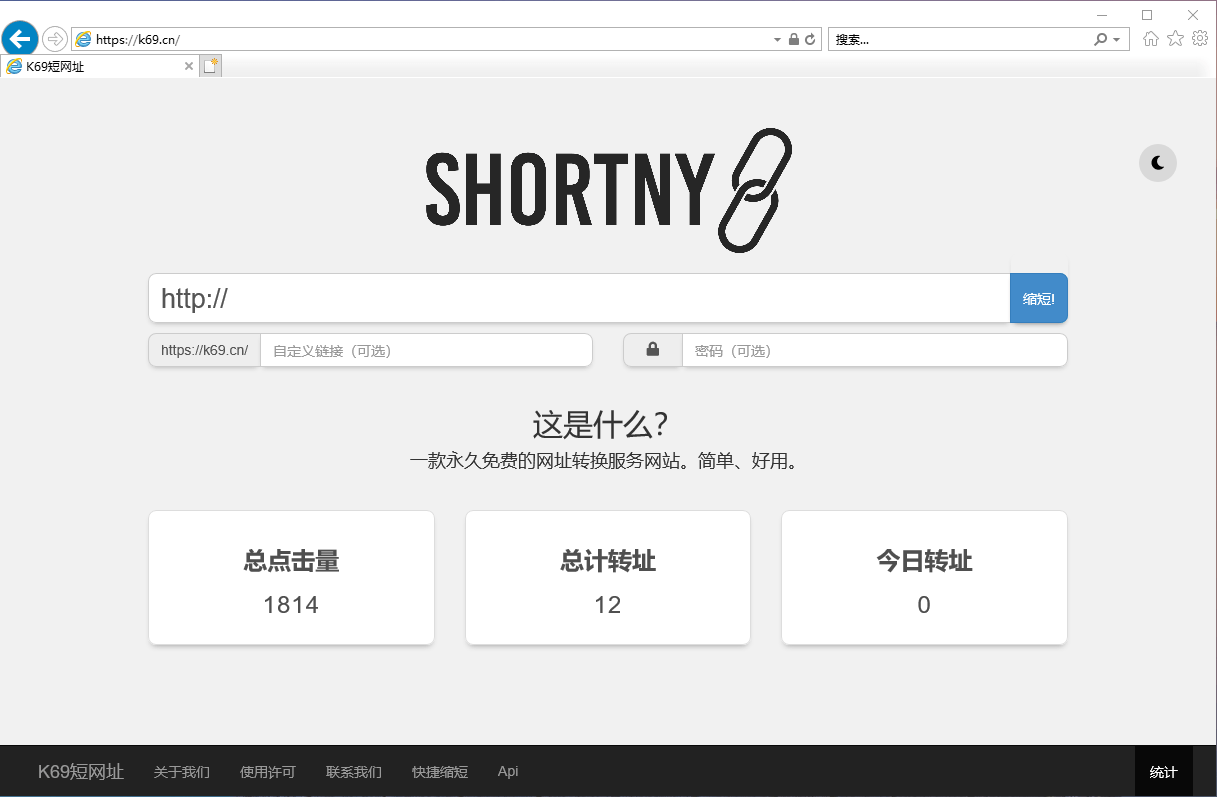
k69.cn短网址

k69cn短网址-白天模式

k69cn短网址-黑夜模式

网址:https://k69.cn/

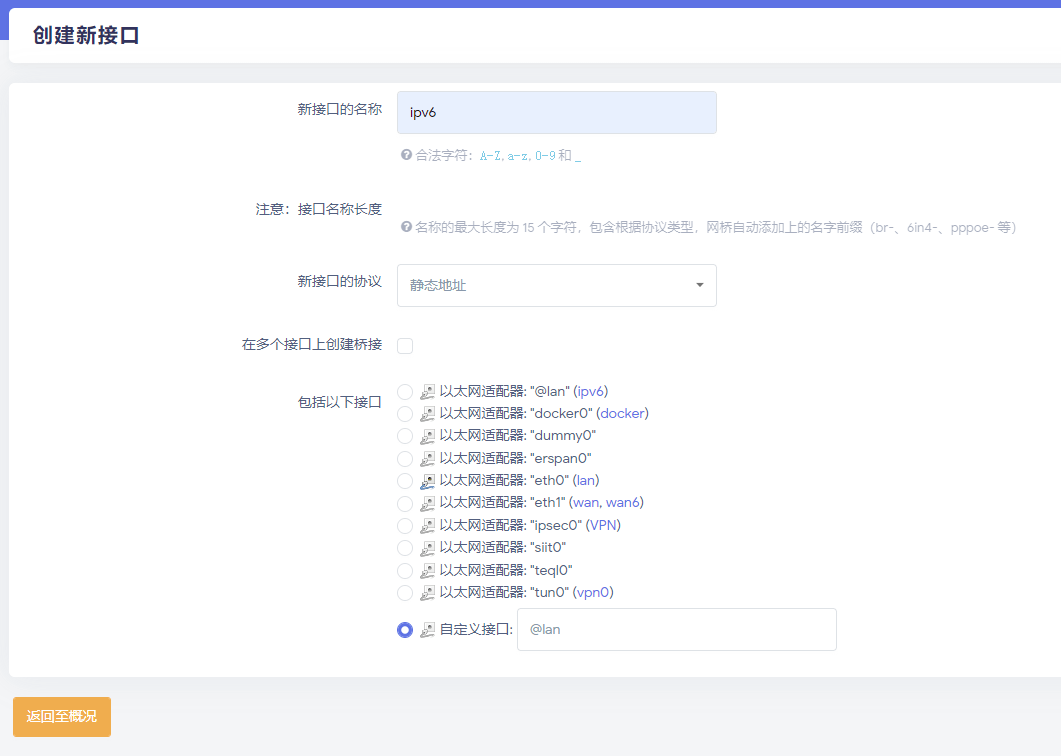
IPV6设置方法,设置过程简单记录如下:

1、关闭LAN接口的所有IPV6设置
2、新建一个网络接口并起一个名字(ipv6)
3、协议选择DHCP v6客户端(因为主路由提供了DHCP v6服务)
4、最关键的地方在于“包括以下接口”的地方,要选择“自定义接口”,并且输入“@lan”
5、新接口的防火墙选择“lan”

openwrt-ipv6-1.png
openwrt-ipv6-1.png

你在做自媒体吗?俗话说不会追热点的博主不是好博主,追热点博眼球是一个博主获得最快发展的途径,下面来分享六个网站,让你轻松掌握全网热点:

一、今日热榜 https://tophub.today/

二、知微事见 https://ef.zhiweidata.com/

三、百度风云榜 https://top.baidu.com/board

四、果汁排行榜 http://guozhivip.com/rank/

五、煎蛋 http://jandan.net/

六、Anyknew https://www.anyknew.com/

七、科技爱好者周刊 http://www.ruanyifeng.com/blog/archives.html